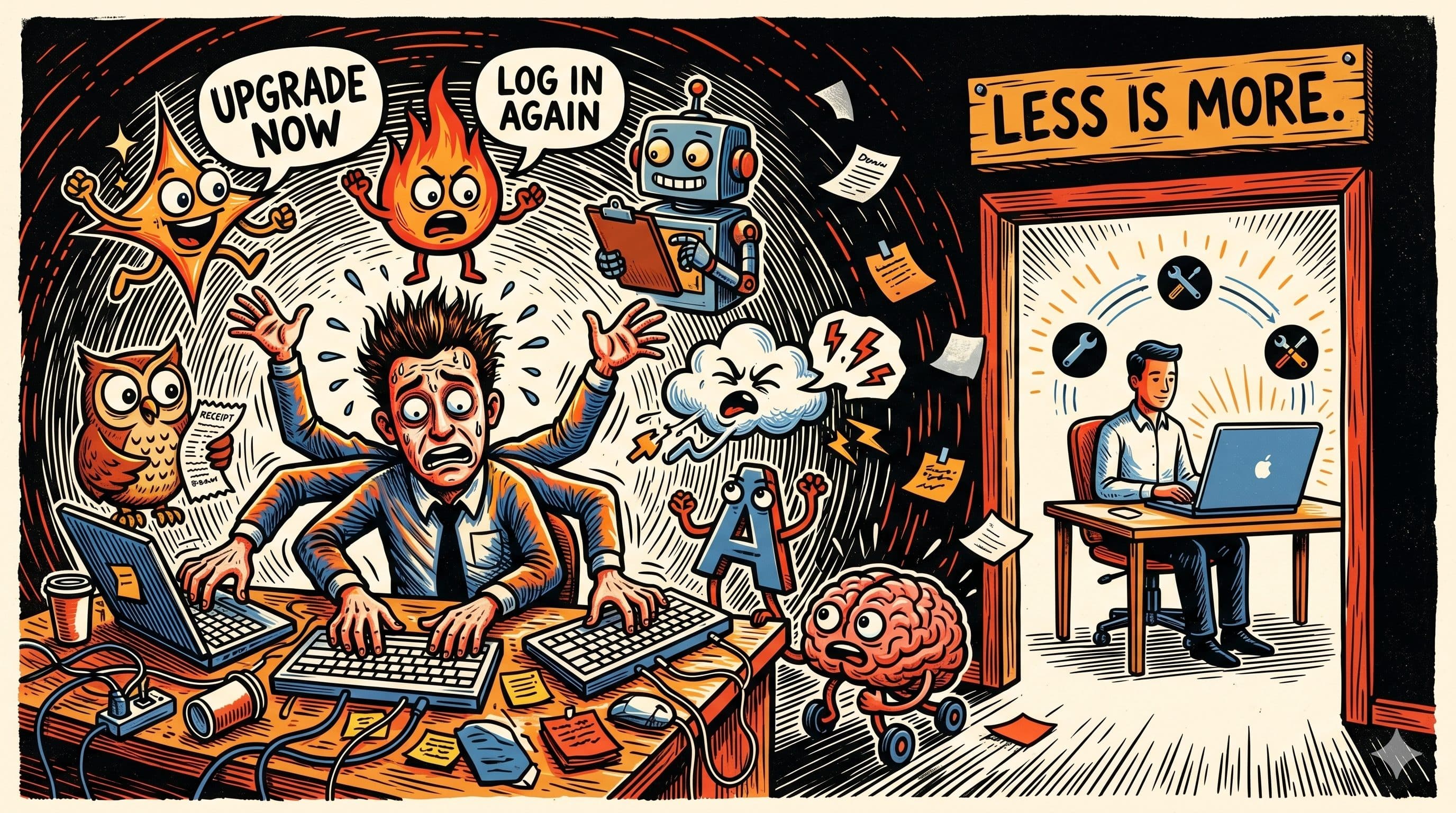

ActivTrak analysed 443 million hours of workplace activity across 1,111 organisations in its 2026 State of the Workplace report. The finding that mattered most is one sentence long. Employees using more than three AI tools report a productivity decline. Employees using three or fewer report the opposite.
The average organisation now runs seven.
This is the productivity paradox of late-2020s AI in a single data point. Adoption rates look like a vertical line on the chart. Organisational rollout is at 88%, per the Stanford 2026 AI Index. By the Bick, Blandin, and Deming survey (published in Management Science), roughly 54.6% of the US 18-64 population had used generative AI by August 2025, exceeding the PC's 19.7% and the internet's 30.1% at the same three-year mark. Productive use is a different curve entirely. ActivTrak's data shows 57% of AI users spend less than 1% of their work time actually using the tools they have adopted.
The gap between those two curves is where the three-tool trap lives.
What the data is actually saying
The ActivTrak finding is not that AI is unproductive. The finding is that AI productivity follows an inverted-U. A small number of well-integrated tools moves the needle. A large number of poorly-integrated tools moves it the other way.
The mechanism is unremarkable once you look at it directly. Every AI tool is its own login, its own interface, its own prompt conventions, its own context that does not follow you between sessions. The cost is not the subscription fee. The cost is the cognitive overhead of remembering which tool does what, where your previous work lives, and which one is having a reliability day.
Workers in fragmented digital environments switch applications roughly 1,200 times a day. Gloria Mark's long-running research at UC Irvine puts the average refocus time after an interruption at 23 minutes and 15 seconds. The arithmetic does not support deep work. It barely supports shallow work.
The adoption-productivity gap
Gallup's workforce data from late 2025 shows US workplace AI use rose from 40% to 45% between the second and third quarters of that year. In organisations that have implemented AI, 65% of workers say it has improved their productivity. Read those two numbers together. Usage is rising, and people who use it like it, but the share of the workforce actually using AI is still under half even as almost nine in ten employers claim to have deployed it.
Adoption is not use. Use is not productive use. Productive use looks like a specific thing in the data: sustained engagement with a small number of tools, at enough frequency to build intuition, across tasks where the tool actually earns its place in the workflow.
ActivTrak's "sweet spot" is people who spend 7-10% of their work time in AI tools. That is 20-25 minutes per hour of a standard work day. This is not casual consultation. It is embedded use. It is the difference between someone who occasionally asks a chatbot a question and someone who has rebuilt their weekly drafting, triage, or analysis routine around one or two specific capabilities.
The people in that sweet spot are not the ones with the longest app list.
Why more tools means less productivity
Three mechanisms compound. They are not mysterious. They just get ignored when the discount code for a new AI product lands in the inbox.
Context does not travel. Every new AI tool is a memory-reset. The agent that helped you plan a project does not know about the one that helped you write the brief, which does not know about the one that helped you schedule the meetings. Each one starts from nothing. You supply the context every time, manually, until you stop using most of them.
Prompting skills are tool-specific enough to matter. The wording that works in one tool fails in another. The long-form instruction that your favourite model loves will confuse the next one. Every new tool is a small period of retraining your own hands, and every tool you add makes that retraining a larger share of your week.
Evaluation is hard, and multiplied by seven it becomes impossible. To know whether a tool is actually helping, you need to compare its output to what you would have produced without it, across enough tasks to see a pattern. With one tool, maybe two, this is possible. With seven, you are running a small clinical trial on your own attention, and the control group is you being annoyed.
The aggregate effect is that tool count correlates inversely with the thing each tool was adopted to improve.
Adoption is not use. Use is not productive use. Productive use looks like sustained engagement with a small number of tools.
The mental model: consolidation beats proliferation
The useful framing is not "which AI tool is best." It is "what does my workflow look like when built around the smallest number of AI surfaces that still does the job."
A general-purpose frontier model with reliable access to your work context is strictly better than five specialist apps that each handle one slice of the job and none of which know about each other. The specialist apps have better marketing pages. The general-purpose setup has fewer tabs, fewer logins, and one context that actually persists.
This has not always been a reasonable option. Until late 2024 the tooling genuinely required stitching several products together, because no single model could sensibly operate across email, calendar, documents, code, and browsers in one place. That is no longer the situation. Frontier models ship with native computer use (see [[GPT-5.4 Computer Use OSWorld - Research Catalogue|the GPT-5.4 OSWorld result]] for the benchmark picture), million-plus token context windows, and tool-use frameworks that make the "one capable agent with access to your work" pattern genuinely viable.
MCP is the structural answer
The reason consolidation is now practical rather than aspirational is the Model Context Protocol. MCP is an open standard for connecting AI models to external tools, APIs, and data sources. Its adoption curve mirrors its usefulness. In November 2024 it launched with roughly two million monthly SDK downloads. By March 2026 it was at 97 million. Every major model provider now supports it natively, which matters because it means the plumbing is cross-vendor rather than locked into any one company's ecosystem.
The practical consequence for a working professional is this: a single model can now reach into your email, calendar, drive, notes app, code editor, and dashboards through one standardised protocol. You do not need a specialist AI app for each surface. You need one model connected to your actual working context, operated by a user who has built intuition for how to instruct it.
That is not future state. That is the configuration several frontier-model products now ship with as default.
The practitioner playbook
Three steps that take less than a week and are free.
- Audit your tools. Open your browser tabs, look at your subscriptions, and count the AI products you touched last month. If the number is greater than three, write down what each one is actually better at than your primary general-purpose model. If the answer is "nothing specific I can name," you have already found the cull list.
- Consolidate around one primary model. Pick the frontier model you trust most, give it persistent context about your work (projects, voice, standards, open questions), and start routing the tasks you used to spread across five apps through it. Accept a small period of mild underperformance while you learn its handling. Most of your sprawl was giving you that already.
- Connect it to your actual work. MCP servers exist for email, calendar, drives, docs, databases, browsers, and most of the surfaces where your work lives. Wire the ones that matter. The moment your primary model can read your calendar and draft into your docs is the moment the specialist apps become visibly redundant.
The thing the data keeps pointing at is not a new tool. It is a stricter taste in tools.
What consolidation buys you
The payoff is not a new AI capability. It is the cognitive room you get back when your working memory stops holding a running map of which tool is for what. Deep work requires uninterrupted attention, and attention gets taxed by every tool boundary you cross. Seven tools is seven boundaries. Three is three. One model connected to your real work, with you operating it fluently, is zero.
Most people who have felt genuinely productive with AI are not using more tools than their colleagues. They are using fewer tools, more often, on tasks they have actually integrated into their weekly rhythm. They have picked a model and put in the hours. They have built a mental library of what it does well and what it does poorly. They have connected it to the surfaces where their work actually lives. And they have politely declined the next discount code.
The real skill in 2026 is not finding the best AI tool. It is refusing the next one.
Sources
- ActivTrak, 2026 State of the Workplace (443M hours, 1,111 organisations)
- ActivTrak, Press release via PR Newswire
- Alexander Bick, Adam Blandin, David J. Deming, The Rapid Adoption of Generative AI (NBER WP 32966)
- Harvard Kennedy School, Generative AI embraced faster than internet, PCs
- Gallup, Rising AI Adoption Spurs Workforce Changes
- MIT Technology Review, The state of AI in charts (Stanford 2026 AI Index coverage)
- Anthropic, Model Context Protocol
- Context switching research aggregated in Speakwise and Lokalise